Identify VMware ESX Hosts and VMs using Secure Boot
You may need to identify VMware ESX Hosts and VMs that use Secure Boot in your environment. This can be helpful for a number of reasons:
- Environment Audit – are there any assets that should be using Secure Boot – but are not?
- Inventory list – Having a list of assets that are using Secure Boot can help build a reference list should the need arise to make updates to the Secure Boot configuration
There are two primary means to do this:
- Aria Operations / VCF Operations – With a little work and help from an open-source management pack you can build a dashboard that will identify these assets
- PowerCLI – PowerCLI can be used to quickly and easily extract this information and format it in any way you like
Aria Operations / VCF Operations
Brock Peterson has written an excellent article on how to use Operations to list VMs and Hosts using Secure boot. It uses an open-source management pack called vCommunity Management Pack. I won’t repeat his work; but do want to highlight some considerations:
- VCF Operations 9.x can display information about both Host and VM Secure Boot configurations
- If you are still on Aria Operations 8.x – you will only see VM Secure Boot status. This version of Operations does not have the Host properties required to detect Secure Boot.
- The properties are disabled by default in both versions of Operations. You will need to enable them before use.
Reminder: Only the VM Secure Boot properties are available in this version of Operations.
Navigate to Operations ➡️ Configurations ➡️ Policy Definition and select the Active Policy (in my example this is vSphere Solution’s Default Policy)
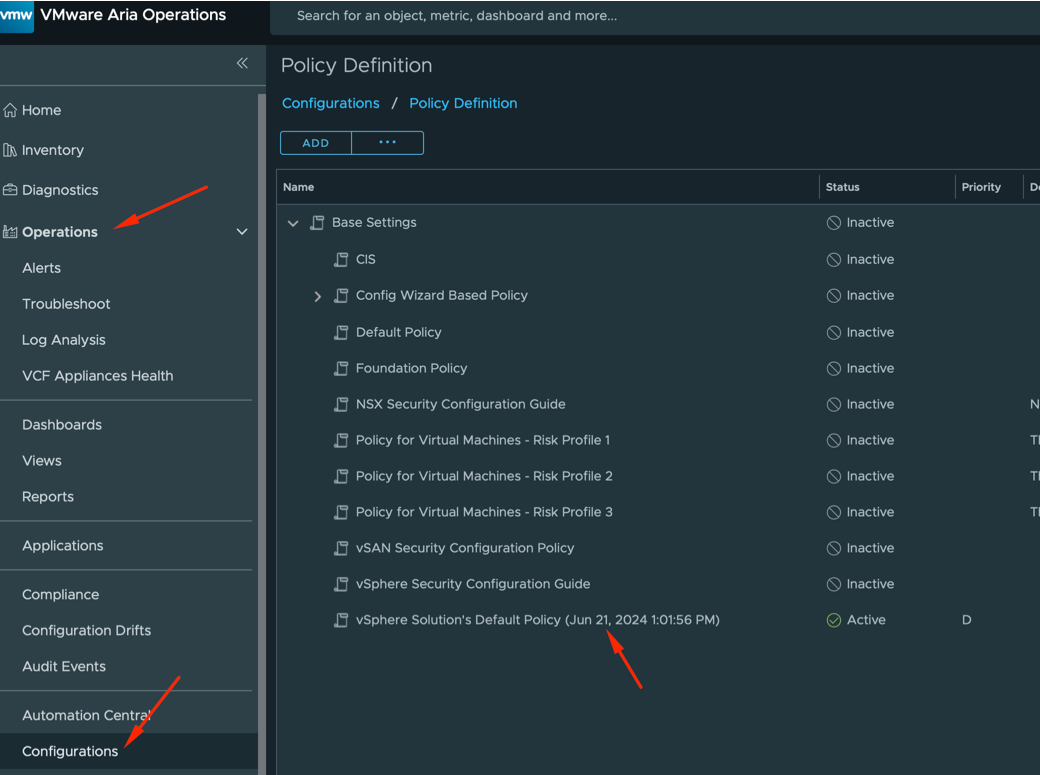
Select the Active Policy Name, then click the 3-dot menu (at the top of the page) and select Edit ➡️ Metrics and Properties.
Select Object Type: ➡️ Virtual Machine.
Filter for Secure Boot and Drill down into Properties
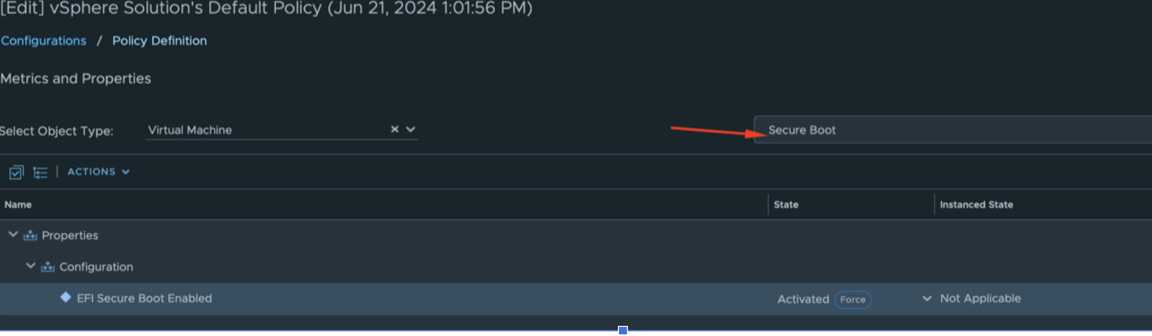
The property in my environment was already enabled and does not need to be changed. If it shows as Disabled in your environment, click the drop down arrow and change it to Enabled and then click the Save button on the bottom of the page.
Note: These steps work for both a Minimal VCF Installation (vSphere, ESXi, Operations) as well as the full VCF Stack.
Navigate to Infrastructure Operations ➡️ Configurations ➡️ Policy Definition. Select the Active Policy (in this example that is vSphere Solution’s Default Policy)
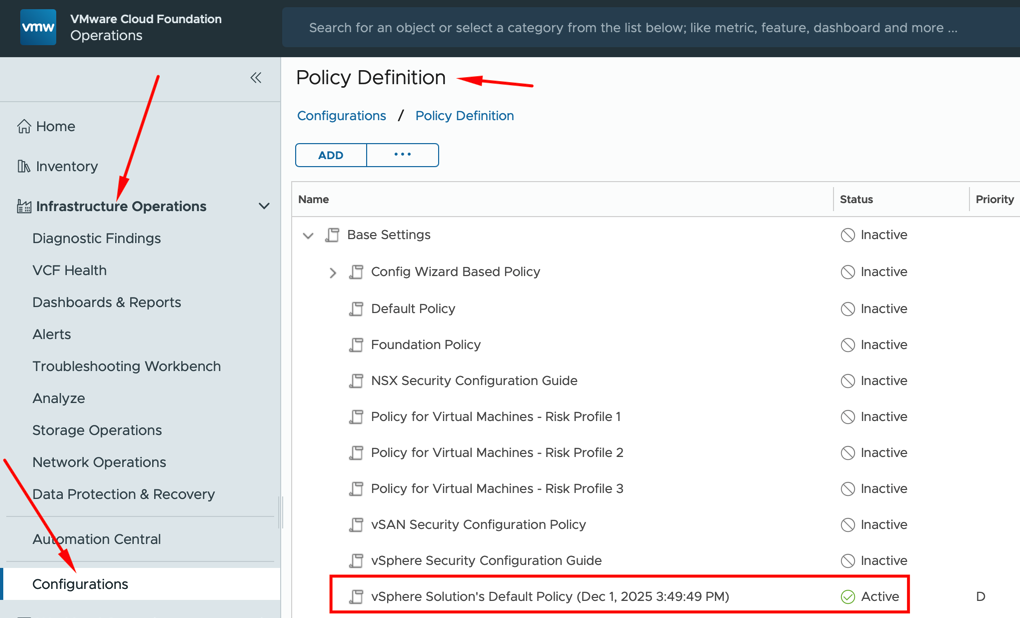
Select the Active Policy Name, then click the 3-dot menu and select Edit ➡️ Metrics and Properties.
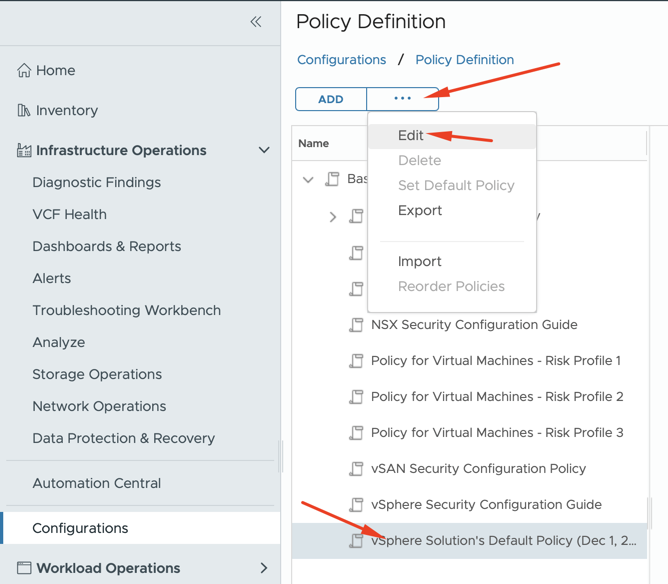
For Operations 9, there are 2 properties to review for active status (Host and Virtual Machine)
Host Property
Filter for Secure and then Drill into vCenter ➡️ Host System Properties and ensure the setting for Is Require Secure Boot Enabled is set to Activated. If it is not, click the drop down and choose Activated.
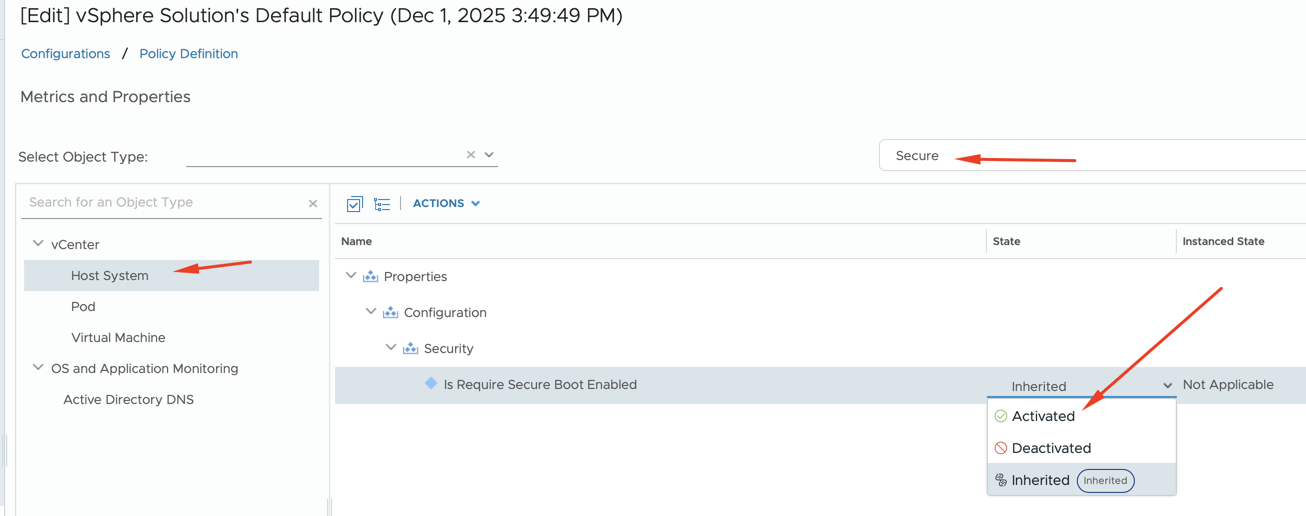
Virtual Machine Property
Filter for Secure and then Drill into vCenter ➡️ Virtual Machine Properties and ensure the setting for EFI Secure Boot Enabled is set to Activated. If it is not, click the drop down and choose Activated.
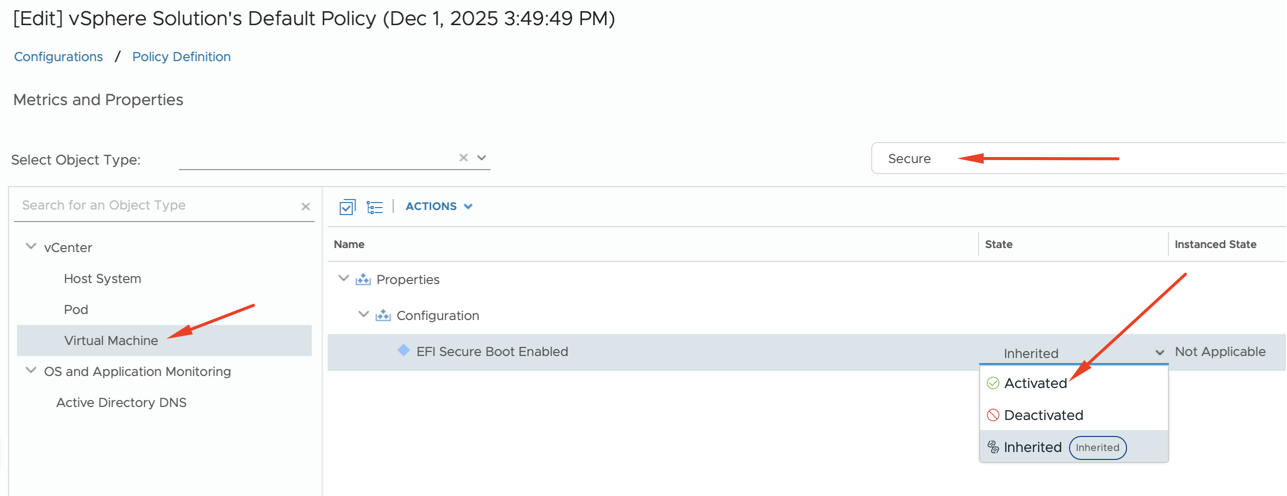
If you changed either property – remember to hit Save at the bottom of the page.
PowerCLI
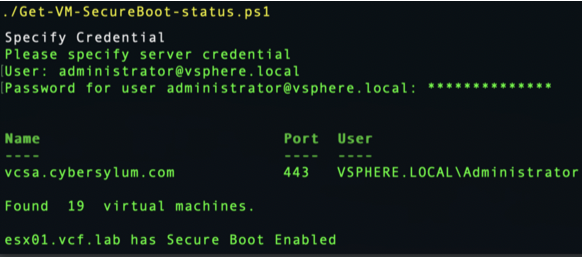
PowerShell can use any recent version of the PowerCLI module to list out Secure Boot configurations for both ESX Hosts and VMs.
Below are two minimal PowerShell snippets that illustrate the properties you will need. You can modify this code to export the data to a CSV or any format that is useful to you.
Get Host Secure Boot Status
Connect-VIServer -Server your.vcenter.fqdn -Force
# Get all hosts
$hosts = Get-VMHost
write-host "Found " $hosts.count " ESX hosts."
write-host ""
write-host "The following ESX host(s) use Secure boot:"

foreach ($vmhost in $hosts) {
    # Connect to esxcli for the host
    $esxcli = Get-EsxCli -VMHost $vmhost -V2
    $secureBoot = $esxcli.system.settings.encryption.get.Invoke() | Select -ExpandProperty RequireSecureBoot

    if ($secureBoot -eq "true") {write-host $vmhost}
}
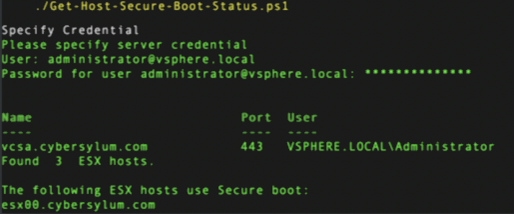
Get VM Secure Boot Status
Connect-VIServer -Server your.vcenter.fqdn -Force
$vms = Get-VM
write-host "Found " $vms.count " virtual machines."

foreach ($vm in $vms) {
   $vmView = $vm | Get-View
   if ($vmView.Config.BootOptions.EfiSecureBootEnabled) {
      Write-Host "$($vm.Name) has Secure Boot Enabled"
   }
}